By: Adam Littell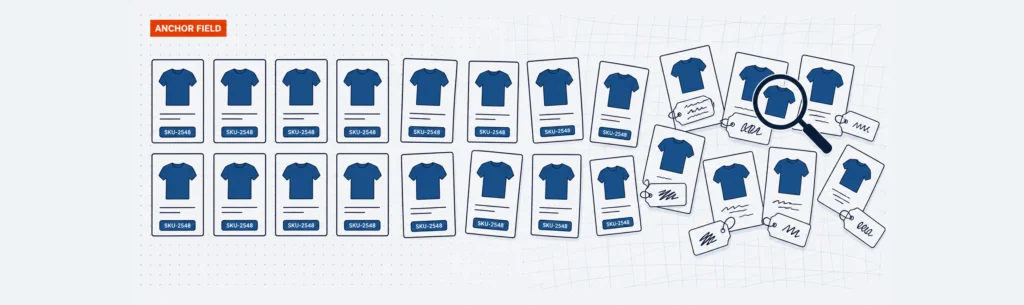
A small ecommerce site can start clean. A few products, a few SKUs, a couple of sizes, one person adding items to the admin. It feels simple.
Then the catalog grows. Someone adds colors as free-form text. Someone else creates size as a dropdown for one product line and a note in the description for another. A new machine or model gets its own SKU structure. A replacement part gets copied from an old item with dimensions that no longer apply. Ten years later, the store is full of products that technically exist in the database but do not behave consistently in search, filters, feeds, reporting, fulfillment, or a new website build.
That is the real ecommerce database problem. It is not just whether the store has products, customers, carts, and orders. It is whether the product data model underneath the store was designed for the ways customers, search engines, feed platforms, internal teams, and connected systems need to use it.
An ecommerce database is the structured set of product, customer, order, inventory, pricing, cart, checkout, feed, and analytics data that powers an online store. Ecommerce database design is the work of deciding what data exists, where it lives, who owns it, how consistently it is entered, and what downstream systems depend on it.
Think of it as a data contract. Every important field should have an owner, a purpose, and a downstream use before the storefront depends on it.
What Is an eCommerce Database?
An ecommerce database stores and connects the information an online store needs to show products, take orders, manage inventory, process customers, support checkout, and pass information to other systems. At the simplest level, it is the structured version of the store. If a spreadsheet has rows and columns, the ecommerce database has organized records and fields.
That structure matters because the storefront can only act on data it can understand. A customer can filter by manufacturer only if manufacturer exists as a consistent field. A category page can show 55-inch televisions only if size is stored in a way the site can query. A Google Shopping feed can submit accurate availability only if the product or variant availability field is reliable.
For a very small catalog, the ecommerce platform may be enough. For a larger catalog, the database often connects to product information management, enterprise resource planning, order management, feed, warehouse, analytics, and custom business systems.
Think of the Database as a Data Contract
The most common database mistakes happen when product attributes are created for internal convenience instead of downstream use.
An admin user may only need a place to type “blue.” A customer needs a filter that groups blue with navy, light blue, and other values only when that makes sense. SEO needs to know whether that color creates an indexable page, supports product schema, or should stay as a non-indexed filter. Paid media and feed tools need a normalized value. Fulfillment may need a pickable SKU, not a parent product. Analytics needs the value to stay consistent enough to report on it.
An ecommerce database works better when teams treat those fields as a contract:
| Data area | Likely owner | Customer-facing use | System use | SEO or feed use | Risk if undefined |
|---|---|---|---|---|---|
| Product attributes | Merchandising | Filters, comparison, product pages | Platform, PIM, search | Facets, schema, feeds | Filter bloat, weak feeds |
| Variants and SKUs | Operations | Size, color, configurations | Inventory, ERP, OMS | Variant data, availability | Wrong stock, duplicate products |
| Categories | Merchandising and SEO | Navigation and browsing | Platform, analytics | Indexable pages, internal links | Duplicate paths, crawl waste |
| Price and availability | Finance, operations, fulfillment | Pricing and stock messaging | ERP, platform, warehouse | Merchant feeds, schema | Wrong pricing, overselling |
The exact fields vary by store. The principle does not: database design for ecommerce website projects works best when the business knows what each field means and what depends on it.
Core Ecommerce Website Database Fields Every Store Has to Define
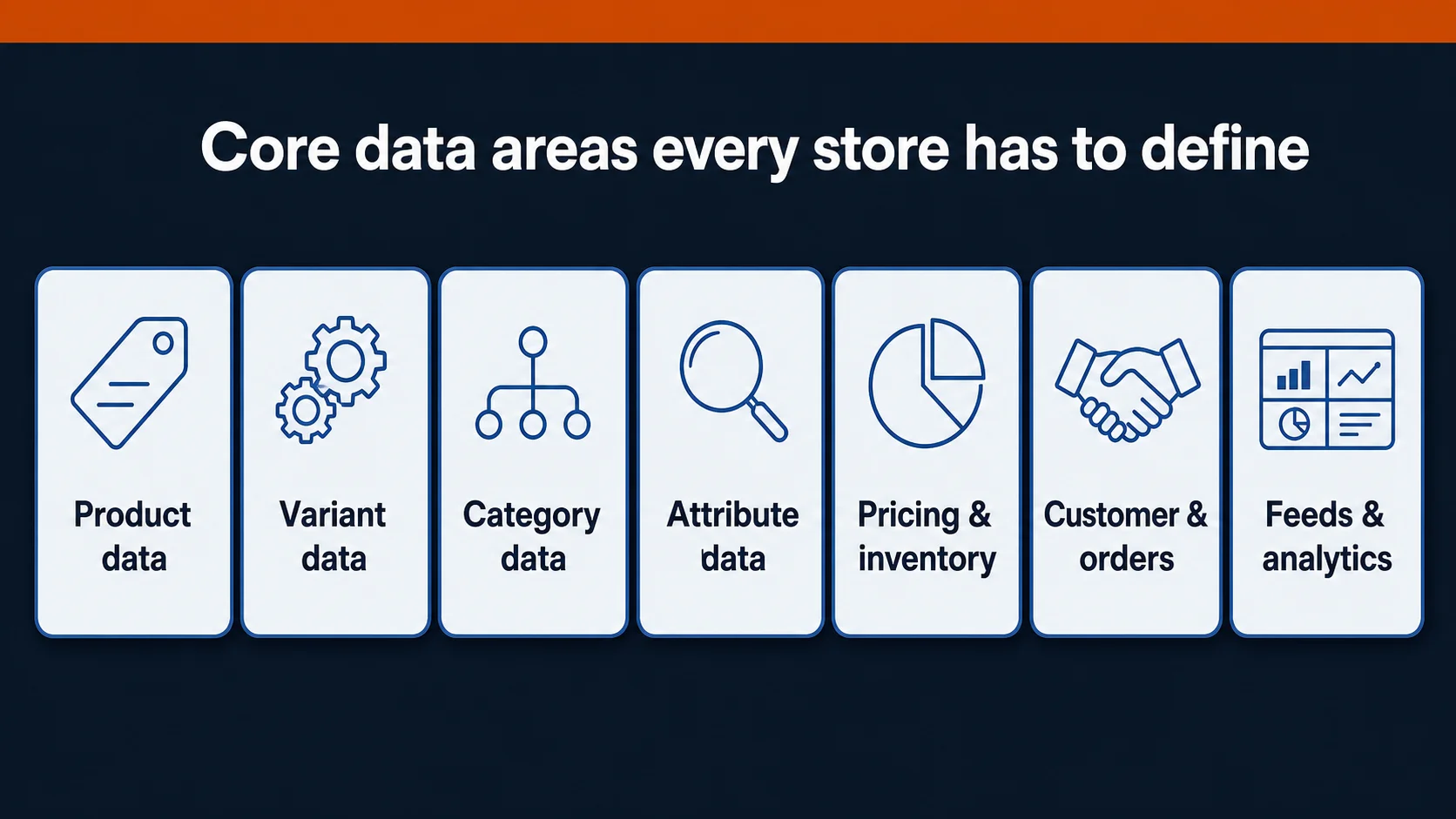
A database for ecommerce website planning should account for more than products and orders, especially when the ecommerce website database also supports feeds, reporting, search, and fulfillment. Start with the major data areas and the decisions attached to each one:
- Product data: name, SKU, description, product type, media, dimensions, brand, manufacturer, compatibility, care details, and page-level content.
- Variant data: purchasable versions of a product, often with their own SKU, barcode, price, image, inventory, availability, weight, and shipping rules.
- Category and taxonomy data: the navigation, reporting, merchandising, and SEO structure that groups products around how customers shop.
- Attribute data: filterable or comparable qualities such as size, color, material, voltage, horsepower, fitment, finish, style, or compatibility.
- Inventory, pricing, and promotion data: stock, backorders, lead times, customer-specific pricing, coupons, bundles, subscriptions, and tax rules.
- Customer, cart, checkout, order, and fulfillment data: accounts, permissions, quote requests, saved carts, payments, shipping, order status, returns, and tracking.
- Feed and analytics data: channel mappings for Google Merchant Center, marketplaces, paid media platforms, reporting, and future shopping surfaces.
An ecommerce database structure that ignores any of these areas may still launch, but the missing decisions usually return later as operational work.
Product Attributes, Variants, Categories, and Custom Fields
Product data gets messy when teams use attributes, variants, categories, and custom fields interchangeably. They are related, but they do different jobs.
Categories group products. They are the aisles of the store: replacement parts, men’s running shoes, dock systems, kitchen faucets, industrial motors. Categories often shape navigation, internal linking, page templates, and SEO landing pages.
Attributes describe products. They are the qualities customers compare or filter by: color, voltage, diameter, thread size, compatible machine, finish, material, capacity, style, or brand.
Variants are purchasable versions of the same product. Shopify’s documentation describes variants as combinations of option values such as size and color, with inventory often managed at the variant level. That distinction matters because a product-level field and a variant-level field should not always be the same. The black size 10 shoe may have different inventory, image, SKU, or availability than the brown size 9 shoe.
Custom fields and metafields hold extra product information that does not fit a standard product field. BigCommerce’s catalog documentation distinguishes products, variants, variant options, custom fields, and metafields in its catalog model. The takeaway is not that every platform should be modeled the same way. It is that teams need shared vocabulary before they add fields.
The hard question is not “Can we create a field?” Most platforms can. The hard question is “What kind of field is this, and who will keep it clean?”
If “machine compatibility” is a customer filter, it needs controlled values. If it only appears in a long description, the site may not be able to power a compatibility finder, product feed, or internal-search rule from it.
How Ecommerce Database Design Powers Search, Filters, and Merchandising
Customers rarely think about ecommerce databases. They notice the symptoms.
They search for a product and get unrelated results. They apply a filter and see empty categories. They compare two items and one is missing a key spec. They land on a product finder and cannot answer a question because the site’s data does not match how they shop.
Product attributes should be designed from customer behavior backward. Start with the workflows:
- How do customers narrow the catalog?
- Which specs are true comparison points?
- Which values belong in filters, and which belong only on product pages?
- Which attributes affect compatibility, fitment, sizing, material, installation, or application?
- Which fields should merchandising use for recommendations, bundles, and related products?
- Which fields should sales or customer service see when helping someone choose?
Jet Dock is a useful example. Their products require customers to answer fit and product-selection questions before buying. OuterBox built an interactive Dock Finder that lets customers self-discover the right product and gives sales a reference number for follow-up. That workflow depends on data architecture. The site needs fields that match the questions customers answer and the logic sales needs after submission.
The same thinking applies to simpler catalogs. If a store sells apparel, color and size are obvious. But style, fit, material, gender, season, and occasion may be just as important for discovery. If a store sells replacement parts, the critical fields may be machine model, voltage, serial range, mounting type, or compatible manufacturer.
The database should mirror how buyers decide, not just how admins enter data.
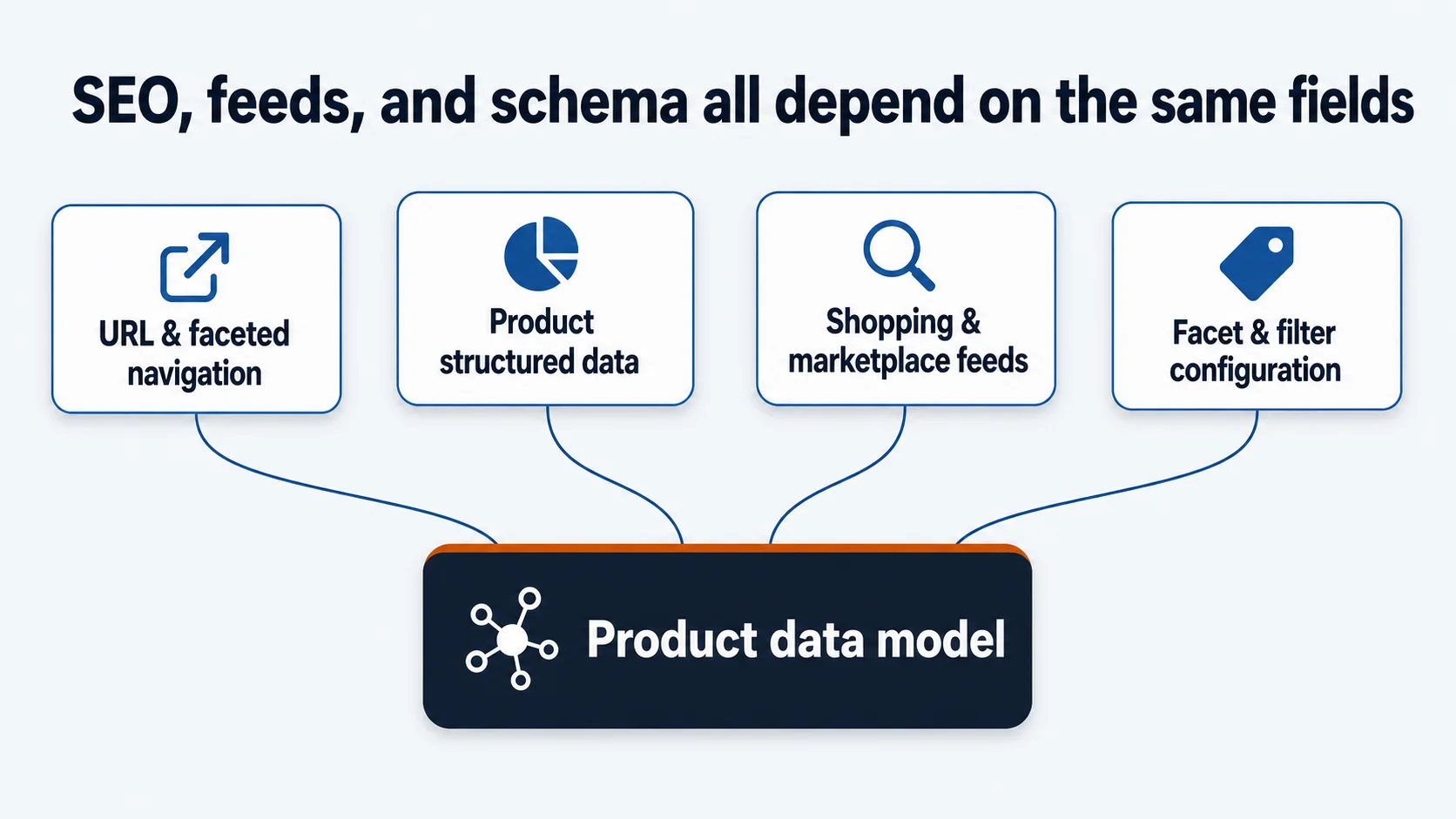
SEO, Feeds, and Structured Data Depend on the Same Fields
Ecommerce SEO is often discussed as if it starts with title tags, category copy, and backlinks. Those matter, but many ecommerce SEO problems start deeper in the data model.
Google’s ecommerce URL guidance warns that poor URL structures can create missed content, duplicate retrieval, or effectively infinite URL spaces. That is a database and filtering issue as much as an SEO issue. If every filter combination creates crawlable URLs, the site may generate thousands of low-value pages. If useful category and attribute combinations are not exposed, the site may miss pages that match real search demand.
Product variant structured data creates another data-model dependency. Google’s product variant documentation uses parent and variant concepts such as ProductGroup, variesBy, hasVariant, and productGroupID. The lesson is simple: shared product-level fields and variant-specific fields need to be separated cleanly.
Product feeds create the same pressure. Google Shopping and other feed channels need consistent titles, prices, availability, images, identifiers, product types, brands, and attributes. Feed work becomes harder when product values are buried in descriptions, inconsistently named, or split across systems without clear ownership.
Faceted navigation also depends on clean attributes. Adobe Commerce’s layered navigation documentation ties filter availability to configured product attributes. The broader point applies across platforms: filters work when values are present, normalized, and intentionally configured.
Better ecommerce database design does not guarantee rankings. It supports the controls that SEO, paid media, feeds, schema, and internal linking need to function.
When a Database for Ecommerce Website Needs PIM, ERP, or OMS
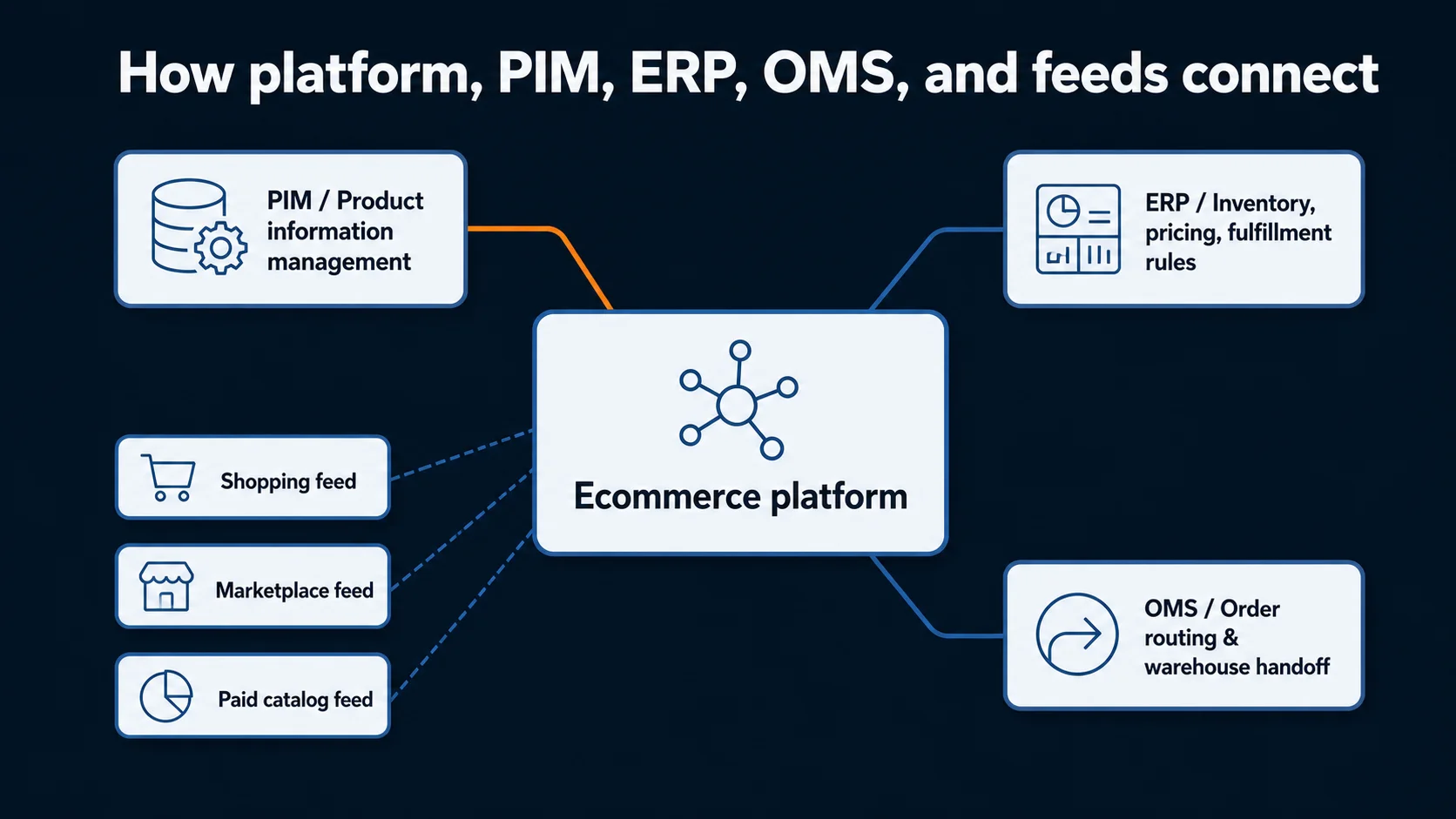
For a smaller catalog with straightforward pricing, inventory, fulfillment, and product content, the ecommerce platform may be enough. Many stores can manage products, variants, categories, basic content, orders, and promotions inside the platform, especially early on.
The pressure changes when the catalog grows or the business rules get more complex.
A PIM (product information management) system usually becomes relevant when product fields, images, category-specific attributes, compliance details, channel-specific descriptions, or team workflows need stronger governance than the platform admin provides.
An ERP (enterprise resource planning) system often owns operational data such as inventory, purchasing, accounting, customer-specific pricing, item master records, and fulfillment rules. Ecommerce teams need to know which fields should come from the ERP and which should be enriched for the web.
An OMS (order management system) may matter when orders flow through multiple warehouses, channels, fulfillment methods, or routing rules. Feed tools may sit alongside these systems for Google Shopping, marketplaces, paid social catalogs, or other product-discovery channels.
The integration itself is usually not the biggest issue. A capable development team can connect to many providers, databases, ERPs, and platforms. The harder problem is messy source data. If product IDs are inconsistent, dimensions vary by category, retired products still appear in exports, and attributes mean different things across systems, a new integration only exposes the debt.
TIE Industrial shows why this matters in B2B ecommerce. OuterBox rebuilt Fanucworld.com on BigCommerce with B2B commerce functionality, including customer and pricing segmentation down to the SKU level. That type of capability depends on clear relationships between customers, products, SKUs, pricing rules, and the platform experience.
Clean data will not stay perfect for 10 years. But cleaner ownership and stricter field rules make the next website, ERP connection, AI shopping model, or search experience much easier to support.
Ecommerce Database Design Mistakes to Avoid
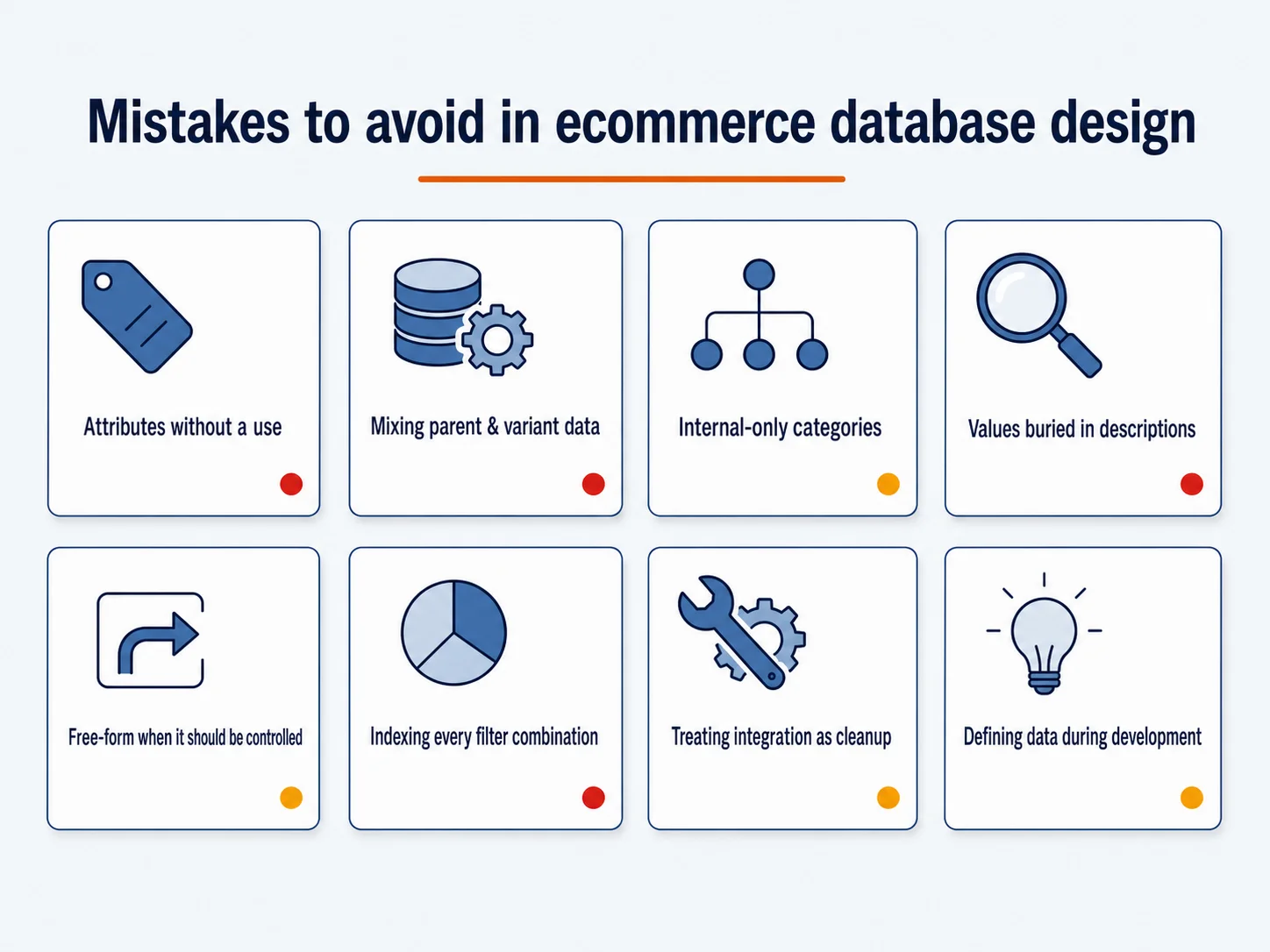
The biggest mistakes are usually normal business shortcuts that compound over time.
Creating attributes without deciding their use. If an attribute will power filters, feeds, schema, comparisons, or internal search, it needs controlled values and ownership.
Mixing parent product and variant data. Parent products and variants need clean boundaries. Shared descriptions, brand, and category may live at the parent level, while SKU, price, inventory, barcode, image, and availability may vary by variant.
Letting categories reflect only internal organization. Internal teams may think in departments or vendors. Customers often think in use cases, compatibility, size, style, or problem to solve.
Putting structured values inside descriptions. If compatibility only appears in body copy, it cannot reliably power a filter, product finder, or feed rule.
Creating free-form values for fields that should be controlled. A filter with “10 in,” “10-inch,” “10 inches,” and “10”” is not four useful options. It is one option entered four ways.
Indexing every filter combination. Some facets deserve SEO landing pages. Many do not. Crawlable faceted URLs need rules so the site does not create duplicate, thin, or infinite URL spaces.
Treating integrations as cleanup tools. A new ERP, PIM, or platform can move data. It cannot decide what messy data should have meant for the past decade.
Waiting until development to define the data. Developers can implement fields, relationships, and integrations. They should not have to infer business meaning from inconsistent catalog history after design and templates are already approved.
Ecommerce Database Planning Checklist
Use this checklist before a redesign, replatform, catalog cleanup, or integration project.
- Define the customer workflows first. List how customers search, filter, compare, configure, request quotes, and buy.
- Identify the core entities: products, variants, SKUs, categories, attributes, inventory, pricing, customers, carts, orders, promotions, feeds, and analytics.
- Separate product-level fields from variant-level fields.
- Decide which fields are customer-facing, internal, feed-facing, SEO-facing, fulfillment-facing, or reporting-facing.
- Assign an owner to each important field.
- Normalize high-value attributes before launch. Start with filterable, feed-required, SEO-relevant, and fulfillment-critical values.
- Decide which attributes should create indexable pages and which should remain non-indexed filters.
- Map system ownership. Determine what lives in the platform, PIM, ERP, OMS, feed tool, warehouse system, or analytics layer.
- Document field rules for product entry: allowed values, naming conventions, units, capitalization, and when a new attribute is allowed.
- Test the data model against real scenarios: a configurable product, a product with variants, a B2B pricing rule, a feed export, a product finder, an out-of-stock item, and a return or replacement order.
- Review old catalog debt before migrating it. Do not move obsolete, duplicated, or nonsensical fields into a new system just because they exist in the old one.
This is also where an ecommerce redesign process should connect to database planning. If you are planning a rebuild, connect the database model to ecommerce website design, ecommerce SEO, web development, and product feed work early.
Frequently Asked Questions About Ecommerce Databases
What should be included in an ecommerce database?
An ecommerce database should include product, variant, SKU, category, attribute, inventory, price, customer, cart, checkout, order, payment, promotion, feed, and analytics data.
What is the difference between product attributes and variants?
Attributes describe a product, while variants are purchasable versions of a product. Color may be an attribute. A blue, size-medium shirt with its own SKU, price, image, and inventory record is a variant.
How does ecommerce database design affect SEO?
Database design affects SEO by shaping category pages, faceted navigation, canonical rules, product structured data, internal links, product feeds, and page content. It supports SEO implementation, but it does not guarantee rankings.
When do you need a PIM or ERP integration?
You may need a PIM when product content, attributes, images, translations, or channel-specific fields are too complex for the ecommerce platform alone. You may need an ERP integration when inventory, pricing, customer records, purchasing, accounting, or fulfillment rules are owned outside the ecommerce platform.
How do you approach database design for ecommerce website rebuilds?
Start with business workflows, not tables. Define how customers shop, what product fields they need, what internal teams own, what feeds and search engines require, and what systems exchange data. Then model products, variants, categories, attributes, inventory, pricing, customers, carts, orders, and feeds around those uses.
How can OuterBox help with ecommerce database planning?
OuterBox connects ecommerce strategy, design, development, SEO, and feed management so database decisions are not isolated from the storefront. The goal is not a theoretically perfect database. It is a cleaner product data foundation that the next website, search experience, shopping feed, and system connection can actually use.