
WooCommerce Website Development Services Built Around Your Store
WooCommerce gives your store flexibility, but that flexibility has to be planned. A store built from stacked plugins, patched themes, and disconnected checkout logic can become slow, hard to manage, and expensive to change.
OuterBox provides WooCommerce website development services for brands that need the platform shaped around their catalog, customers, operations, and growth plan. Your store can get custom storefront development, checkout improvements, ERP and payment integrations, SEO-ready templates, performance work, and post-launch support from one team.
Tell us what you sell, how the store runs today, and where the build is getting in the way. We will help you decide whether WooCommerce is the right fit and what the next scope should include.
eCommerce Website Launches. Successful launches across industries and business sizes
Page #1 Google Rankings. Proven organic visibility for high-intent search terms
Years as an eCommerce Agency. Experience building, scaling, and optimizing WooCommerce stores
U.S.-Based Experts. In-house strategists, developers, and marketers
"*" indicates required fields
"*" indicates required fields





WooCommerce Website Development Services For Stores That Need More Than A Plugin Stack
WooCommerce works best when the site is designed around the business first and the plugin list second. The right extension can save time. The wrong stack can slow product pages, create duplicate data, expose security risk, or leave the team afraid to update WordPress.
OuterBox starts with the store you actually need to run. Your catalog structure, product types, shipping rules, tax requirements, payment methods, editorial workflow, checkout friction, and reporting needs shape the build before code ships. Plugins stay in the plan when they are the right tool. Custom code carries the work when a plugin would add more risk than value.
That is the difference between a WooCommerce install and a WooCommerce store your team can operate after launch.
How Wine Enthusiast Migrated Without Losing Rankings
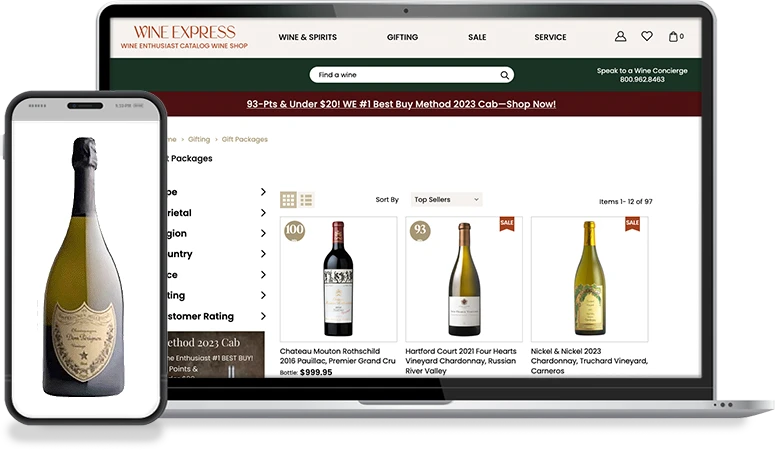
Wine Enthusiast (WineExpress.com) moved off a homegrown platform to NetSuite SuiteCommerce Advanced while migrating to HTTPS, converting from m-dot to responsive, and overhauling site architecture, all at once. Instead of the typical 10-30% post-migration drop, the store grew immediately and held 59% organic traffic and 60% organic revenue lifts.
Different platform, same lesson: migration work has to be planned as a business risk, not a checklist. Read the full case study →
WooCommerce Web Development
Get A WooCommerce Website Development Estimate
Send us your WooCommerce store or the platform you are moving from, with catalog size, integrations, and checkout issues. OuterBox will review the opportunity and respond with the next step. Prefer to talk now? Call (866) 647-9218.
Services
"*" indicates required fields
Where WooCommerce Fits In Your eCommerce Stack
WooCommerce is a strong fit when your commerce program needs WordPress content control and flexible store architecture in the same place. Product pages, category pages, buying guides, brand content, support content, and checkout can live inside one CMS instead of being split across tools your team has to reconcile later.
The platform also leaves room for WooCommerce web development across store settings, payments, shipping, customer-facing cart and checkout behavior, and webhooks. That matters when the store has to connect with an ERP, PIM, CRM, fulfillment partner, payment provider, tax engine, or marketing platform.
WooCommerce is not automatically the right answer for every catalog. If your store needs a hosted platform, a different B2B model, or an enterprise commerce stack, the honest answer may be Shopify, BigCommerce, Magento, or another path. OuterBox will walk through that decision with you before recommending a build.

Meet OuterBox
OuterBox has been building websites and digital marketing programs since 2004, with a team of in-house experts across web development, design, SEO, paid media, CRO, analytics, email, and content. That mix matters for WooCommerce work because store decisions rarely stay in one lane: a product-template change can affect SEO, a checkout change can affect CRO and analytics, and an integration change can affect fulfillment, reporting, and customer service. Your store needs a team that can see those connections before they become tickets.
20+ Years
Digital Marketing Agency
1000+
Successful Client Partnerships
2M+
Page #1 Google Rankings
300+
USA-Based, In-House Experts
Why Teams Choose OuterBox As Their WooCommerce Website Development Company
WooCommerce works best when the business case is understood before the platform is assumed. Here is how a structured OuterBox build compares with another agency. The difference is follow-through: your WooCommerce website development company should leave the store easier to manage, easier to improve, and safer to scale.
OuterBox
- Platform fit: WooCommerce is recommended only when the catalog, content, operations, and team fit the platform.
- Custom code: Custom development is scoped where it protects speed, checkout, integrations, or maintainability.
- Performance: Hosting, caching, theme weight, image rules, scripts, database pressure, and HPOS readiness are planned early.
- Integrations: ERP, PIM, CRM, payment, shipping, tax, and fulfillment flows are mapped before code ships.
- SEO foundation: Product and category templates are built with crawl paths, metadata, schema opportunities, and internal links in mind.
- Checkout: Cart and checkout logic follows the buyer, the product, and the payment workflow.
- Migration: Redirects, product data, content, tracking, QA, and rollback planning are part of the launch scope.
- Support: The same team can support maintenance, CRO, SEO, analytics, and feature work after launch.
Other Agency
- Platform fit: WooCommerce is treated as the answer before the business case is understood.
- Custom code: Plugin stacking becomes the default until updates and conflicts slow the store.
- Performance: Speed work waits until after launch, when the store is already carrying the wrong choices.
- Integrations: Connectors are added late, with weak handling for data drift and failure paths.
- SEO foundation: SEO gets handled after launch, even when template choices already limited the page.
- Checkout: Every store gets the same checkout path unless a plugin can change it quickly.
- Migration: Migration risk is treated as a data import and a go-live date.
- Support: The launch team leaves, and the next improvement starts with re-discovery.
Other Services from OuterBox
Related WooCommerce And eCommerce Services





WooCommerce Website Development FAQs
What is included in WooCommerce website development services?
WooCommerce development can include discovery, UX planning, custom theme development, plugin review, custom functionality, cart and checkout work, product and category templates, integrations, performance optimization, migration support, QA, launch support, and post-launch maintenance. Scope depends on the store.
Is WooCommerce the right platform for our store?
WooCommerce is often a strong fit when your store needs WordPress content control, flexible product pages, custom functionality, and ownership of the stack. It may not be right when a hosted platform or larger enterprise commerce system better fits operations.
How long does a WooCommerce website build take?
Timeline depends on catalog size, design needs, custom functionality, integrations, migration complexity, checkout requirements, and QA depth. A theme refresh moves differently than a full migration with ERP, PIM, payment, shipping, and tax integrations.
Can OuterBox migrate our store to WooCommerce?
Yes. WooCommerce migration can include products, categories, customers, orders, content, redirects, metadata, tracking, and QA. Search visibility can fluctuate during platform moves, so migration planning should include URL maps, redirects, sitemap updates, and monitoring.
Can WooCommerce integrate with our ERP, CRM, or PIM?
Yes. WooCommerce can connect with ERP, CRM, PIM, payment, shipping, tax, fulfillment, marketplace, and reporting systems through documented APIs, webhooks, extensions, or custom development. The right approach depends on data direction, frequency, reliability needs, and failure handling.
How do you avoid WooCommerce plugin bloat?
Your plugin stack gets reviewed by job, owner, risk, and update path. Useful extensions stay in the plan when they solve the need cleanly. Custom code is usually safer when a requirement touches checkout logic, product data, pricing, integrations, or performance.
Can WooCommerce handle large product catalogs?
How do you keep WooCommerce sites fast?
Speed work starts with theme weight, image handling, caching, hosting, scripts, database pressure, Core Web Vitals, and checkout behavior. For order-heavy stores, HPOS readiness and extension compatibility may also be part of the performance roadmap.
Do WooCommerce builds include SEO?
WooCommerce development should include SEO-ready foundations: clean templates, crawlable categories, metadata fields, schema opportunities, internal links, redirect planning, and tracking continuity. Ongoing organic growth belongs in a deeper WooCommerce SEO program.
What happens after launch?
Post-launch support can cover updates, bug fixes, new features, plugin and theme compatibility, performance checks, security review, CRO testing, SEO support, analytics, and content requests. The support model can be a retainer, ticket queue, or scoped project plan.
Ready To Build A WooCommerce Store Your Team Can Run?
Bring us the catalog, the integration list, the checkout issues, and the parts of WooCommerce that feel harder than they should. OuterBox will help you decide what to build next and how to keep it stable after launch.
Related Articles: WooCommerce Web Development

Web Development | 5 min read
In the digital age, the importance of having an eCommerce website for your business cannot be overstated. As more and more consumers are shifting their…
Web Development | 5 min read
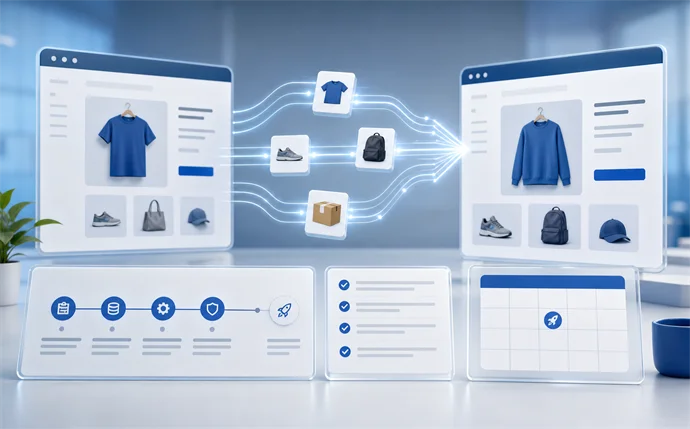
Are you ready to grow your business with a more advanced eCommerce platform? A new platform can help you scale your products, better manage your…
Web Development | 5 min read
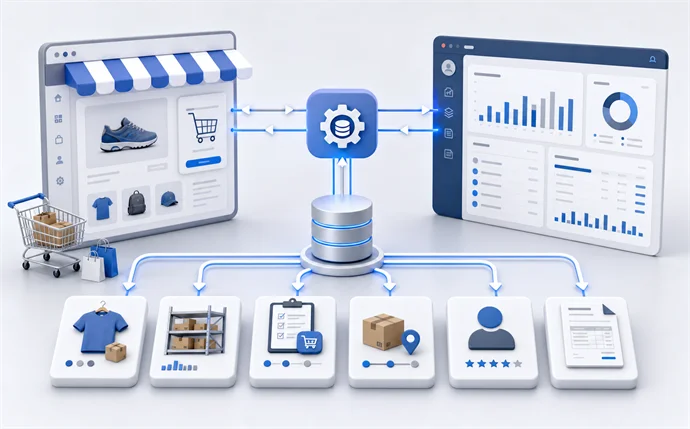
You need to integrate your ERP into your eCommerce website. With so many different ERP systems and website platforms, it’s difficult to understand how your…