By: Jeff Hirz
Email marketing is the practice of sending useful, timely messages to people who have subscribed, purchased, inquired, or otherwise have a valid relationship with your business. It can support sales, customer education, retention, lead nurturing, promotions, product launches, and post-purchase communication.
That definition is accurate, but it is incomplete.
Email marketing is also the owned-channel layer that turns traffic into repeat conversations. SEO, paid media, social, referrals, and offline sales activity can bring people to your site once. Email gives your business a way to continue the conversation after that first visit, form fill, cart, quote request, or purchase.
The channel works best when five parts stay connected: permission, customer data, message, deliverability, and measurement. If any one of those breaks, email becomes a send calendar. When they work together, email becomes a system for sending the right nudge at the right point in the buyer journey.
What Is Email Marketing?
Email marketing is a direct marketing channel that uses email to communicate with prospects, customers, subscribers, and past buyers. A business might send a newsletter, a product announcement, a welcome series, an abandoned-cart reminder, a lead-nurture email, a post-purchase follow-up, or a re-engagement message.
The key difference between email and rented channels is ownership. You do not control search rankings, ad costs, or social feeds. You still need consent, compliance, list quality, and inbox trust, but an email list gives you a direct audience that is not fully dependent on an algorithm.
That does not mean every subscriber should receive every message. Strong email marketing separates the audience by intent, behavior, lifecycle stage, purchase history, source, and engagement. A first-time blog subscriber, a repeat ecommerce customer, a high-intent quote requester, and a cold lead need different messages.
This is why email marketing is not only a writing or design task. It is part audience strategy, part data model, part creative, part deliverability, and part reporting discipline.
How Email Marketing Works, Step by Step
Email marketing starts before the first campaign is written.
First, a person enters your audience through a form, checkout opt-in, account signup, event registration, quote request, content offer, purchase, or other approved source. The way that person entered the list matters because it shapes consent, expectation, and message relevance.
Next, your email service provider, often called an ESP, stores the contact record. Platforms such as Klaviyo, Mailchimp, HubSpot, Salesforce Marketing Cloud, and other ESPs can manage lists, templates, segments, automations, forms, unsubscribe preferences, reporting, and integrations with your website or CRM.
Then the contact is grouped into an audience. That grouping might be simple, such as newsletter subscriber or customer. It can also be more specific: viewed a product twice, downloaded a guide, abandoned a cart, purchased within the past 90 days, opened three recent campaigns, requested pricing, or has not engaged in six months.
After that, the email is created and sent. The message needs a clear audience, subject line, preview text, offer or information, body copy, CTA, tracking, and mobile-friendly layout. For automated emails, the send is triggered by a behavior or rule. For campaigns, the send is usually scheduled.
Finally, the program is measured. Opens, clicks, conversions, revenue, unsubscribes, complaints, and downstream activity show whether the message helped. The best email programs use that information to change the next send, not just to report what happened.

The Five-Part Email System
A useful way to understand email marketing is to think of it as a five-part system.
1. Permission and list source. Every email program begins with how people join the audience. A checkout opt-in, newsletter form, gated guide, webinar registration, and past customer relationship all create different expectations. Good list growth brings in people who actually want the next message.
2. Customer data and segmentation. The contact record should tell you something useful. What did the person do? What did they buy? What did they ask for? Which pages or products did they view? Which emails did they engage with? Segmentation turns one large list into smaller groups with different needs.
3. Message and offer. The email needs a job. It may educate, remind, promote, invite, recover, nurture, or support a sale. The body copy, creative, CTA, and landing page should all match that job.
4. Deliverability and inbox trust. Even a strong message has to reach the inbox. Sender authentication, list hygiene, unsubscribe handling, engagement, complaint risk, and frequency all affect whether mailbox providers trust your mail.
5. Measurement and next decision. Email reporting should explain what to do next. Send again, change the segment, adjust the offer, fix the landing page, pause a flow, clean the list, or build a more specific trigger.
When clients struggle with email, the issue is often not just send frequency or time of day. The program is too broad. A blanket list send at 3 p.m. on Wednesday is rarely as useful as catching a high-intent lead shortly after a second site visit to review your services or products.
Common Types of Email Marketing Campaigns
Most email programs include a mix of campaigns and automations.
Campaigns are one-time or scheduled sends. Examples include newsletters, product launches, sales promotions, event invitations, company updates, content roundups, seasonal offers, back-in-stock announcements, and customer education emails.
Automations, sometimes called flows or journeys, are triggered by behavior or status. Examples include welcome series, browse abandonment, cart abandonment, checkout abandonment, post-purchase follow-up, review requests, replenishment reminders, lead nurturing, VIP messaging, and win-back campaigns.
The difference matters. A campaign asks, “What should we send to this audience now?” An automation asks, “What should happen when this person takes this action?”
That second question is often where revenue gets found. In Klaviyo’s 2026 ecommerce benchmark data, automated flows represented 5.3% of sends but nearly 41% of email revenue. That does not mean every business will see the same split, and it does not make campaigns unimportant. It shows why timing and trigger logic matter.
OuterBox saw that pattern with Unclaimed Baggage. The brand had email automations, but users who added items to cart and stalled before checkout were missing a useful touchpoint. OuterBox created a new Klaviyo “Added to Cart” metric to trigger a flow between browse abandonment and checkout abandonment. The flow produced 325 additional orders and $51,000 in additional revenue in the first 90 days. That is an account-specific result, but the operating lesson is broader: find the missed customer moment, then build the message around it.

Why Segmentation and Automation Matter
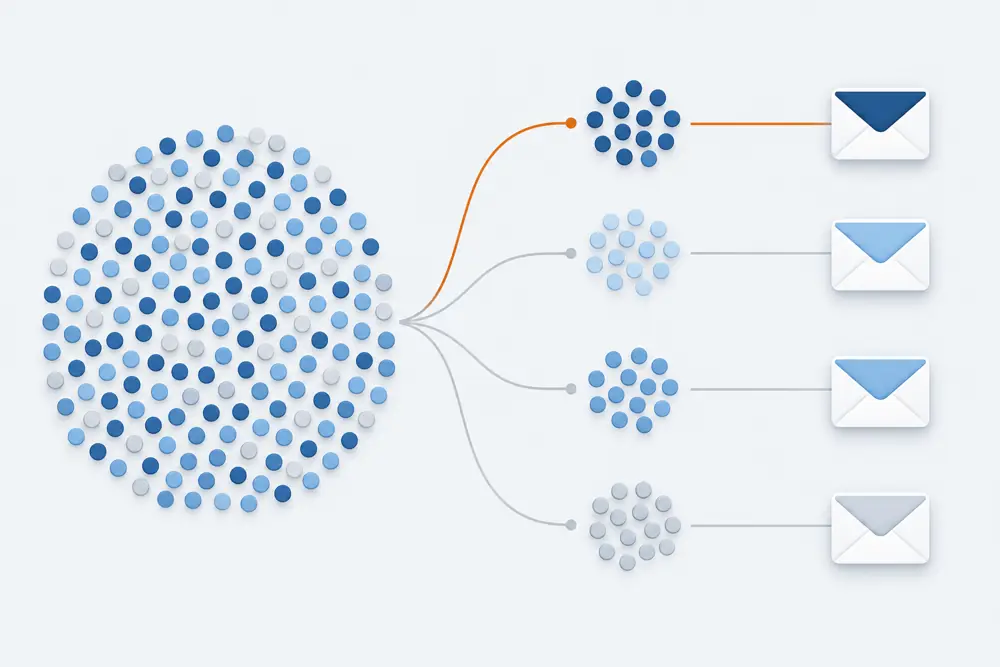
Segmentation decides who should receive a message. Automation decides when a message should send. Together, they keep email from turning into a list blast.
A basic email program might send one newsletter to everyone. A stronger program separates prospects, customers, repeat buyers, high-value accounts, inactive subscribers, cart abandoners, recent quote requesters, and people who have shown interest in specific products or services.
Personalization should come from that context. A first-name token is not strategy. A better email recognizes what the person did and what they probably need next.
Protection Mats is a useful example. Customer service was hearing repeated questions about durability and materials. OuterBox used that call-tracking insight to build targeted email campaigns that answered those buyer concerns. The “By the Numbers” campaign delivered a 33.17% open rate, 6.45% CTR, and 63% engagement rate. The “How Much Can Our Mats Withstand?” campaign delivered a 36.35% open rate, 8.33% CTR, and 32% engagement rate.
Those results did not come from guessing a better send time. They came from listening to buyer questions and turning them into a more specific message.
That is the practical point for beginners: email becomes more valuable as it gets more specific. The list source, customer behavior, CRM fields, product data, and sales or support feedback should all help decide what to send.
Deliverability, Consent, and Compliance Basics
Email marketing has rules. Some are legal rules. Some are mailbox-provider requirements. Some are practical list-health rules. They overlap, but they are not the same thing.
In the U.S., the FTC’s CAN-SPAM guidance focuses on commercial email requirements such as truthful header information, non-deceptive subject lines, clear identification where required, a valid physical postal address, and a clear opt-out path. The FTC also says opt-out requests must be honored “within 10 business days.”
Consent-based regimes work differently. The UK’s ICO guidance under PECR says organizations generally need consent to send electronic mail marketing to individuals, unless a limited soft opt-in applies for previous customers and similar products or services. If your audience spans countries or regions, you need rules that fit those jurisdictions.
Mailbox providers also set deliverability requirements. Google requires senders to authenticate mail, and its sender guidelines recommend SPF, DKIM, and DMARC. For bulk senders, Gmail requirements include stronger authentication, low spam complaint rates, and one-click unsubscribe support. Google advises keeping spam rates below 0.10% and avoiding 0.30% or higher.
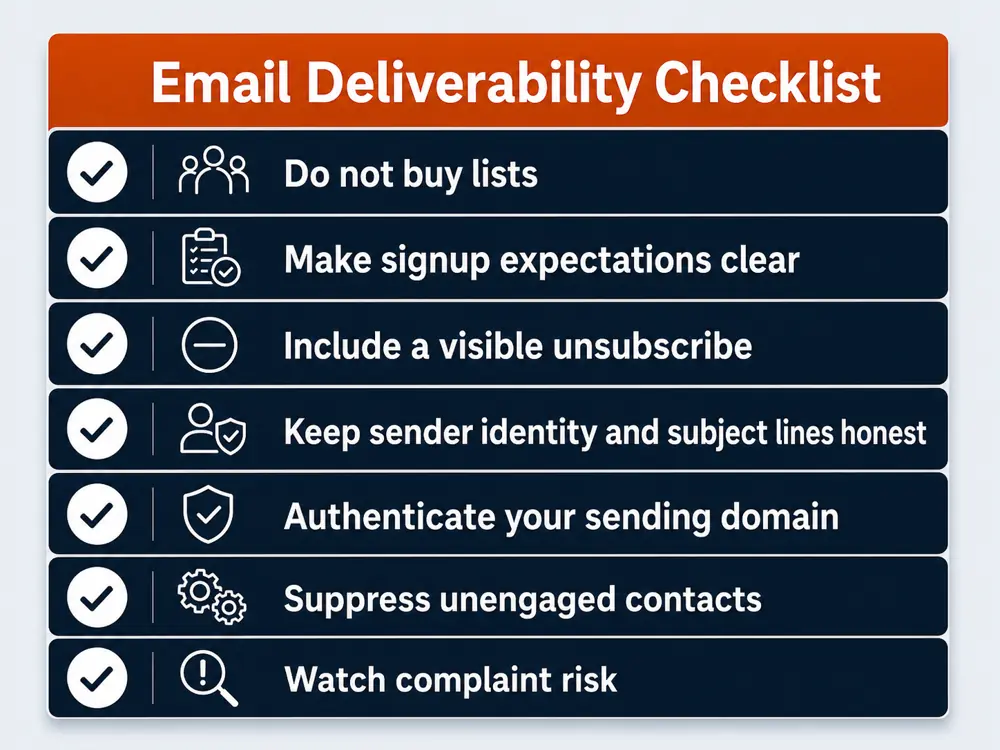
For a beginner, the practical takeaway is simple:
- Do not buy lists.
- Make signup expectations clear.
- Include a visible unsubscribe option.
- Keep sender identity and subject lines honest.
- Authenticate your sending domain.
- Suppress unengaged or ineligible contacts.
- Watch complaint risk before it damages inbox trust.
This is not legal advice. It is the baseline operating discipline that keeps email from becoming a risk to the channel it is supposed to build.
Email Marketing Metrics That Tell You What To Fix
Email reporting should answer a decision, not just fill a dashboard.
Open rate can show subject-line or inbox-placement signals, but privacy changes and image-loading behavior make it an imperfect success metric. Click rate shows whether the message earned action. Conversion rate and revenue show whether that action created value. Revenue per recipient can help compare segments or flows. Unsubscribe rate and spam complaint rate show audience fatigue or targeting problems.
Flow reporting needs its own view. A welcome series, abandoned-cart flow, post-purchase sequence, and win-back campaign should not be judged as one blended automation bucket. Each one has a different job.
List-health reporting matters too. If subscribers are increasing but engagement is falling, the list may be growing in the wrong direction. If click rate is strong but conversion is weak, the email may be doing its job while the landing page, offer, product page, or checkout path needs work.
That is where email connects with analytics, CRO, paid media, SEO, and sales. ESP reports show what happened inside email. Website and CRM data explain what happened after the click.
How To Start Email Marketing Without Building a Mess
Start smaller than you think, but be more specific than you think.
You do not need twenty flows and a complex segmentation model on day one. You do need a clean foundation.
- Define the business goal. Are you trying to nurture leads, recover carts, increase repeat purchases, announce products, support sales, or retain customers?
- Confirm your list sources. Know who is on the list, how they got there, what they expect, and whether they are eligible to receive marketing.
- Pick the right ESP for your stack. Ecommerce teams may need product and order data. B2B teams may need CRM and lifecycle-stage data. Content-heavy teams may need cleaner newsletter and lead-nurture workflows.
- Build the first core audiences. Start with prospects, customers, engaged subscribers, unengaged subscribers, and the highest-intent behavior groups.
- Launch the highest-value sends first. Welcome, cart or lead follow-up, post-purchase, and one useful recurring campaign are often better than a bloated calendar.
- Measure the next decision. Decide what you will change based on the first sends before you keep adding more email.
If the program is already active, the first step is often diagnosis. OuterBox email marketing services can help review list quality, platform setup, campaign strategy, automation gaps, deliverability, creative, and reporting. Platform-specific programs may need Klaviyo email marketing, HubSpot email marketing, Mailchimp email marketing, or Salesforce email marketing support.
The goal is not to send more email by default. The goal is to make the next email more useful than the last one.
Email Marketing FAQs
What is email marketing in simple terms?
Email marketing is using email to communicate with people who have subscribed, bought from you, requested information, or otherwise have a valid relationship with your business. It can support education, sales, retention, promotions, and customer follow-up.
How does email marketing work?
Email marketing works by collecting eligible contacts, storing them in an email platform, grouping them by behavior or profile, sending relevant messages, managing deliverability and opt-outs, and measuring what subscribers do after receiving the email.
What are examples of email marketing?
Common examples include newsletters, welcome emails, product announcements, promotions, event invitations, abandoned-cart reminders, lead-nurture sequences, post-purchase follow-ups, review requests, win-back campaigns, and re-engagement emails.
Is email marketing still effective?
Yes, when the program is built around audience quality, timing, message relevance, inbox trust, and measurement. Email is less effective when every subscriber receives the same broad message regardless of behavior or interest.
What is the difference between email campaigns and email automation?
An email campaign is usually a one-time or scheduled send to a selected audience. Email automation sends based on a trigger, such as signup, product browsing, cart activity, purchase behavior, lead status, or inactivity.
What do you need to start email marketing?
You need an eligible contact list, an email service provider, clear signup expectations, a sending domain, basic authentication, a few defined audiences, email templates, unsubscribe handling, and a measurement plan.
Which email marketing metrics matter most?
Important metrics include click rate, conversion rate, revenue, revenue per recipient, unsubscribe rate, spam complaint rate, list growth, engagement by segment, and flow performance. Open rate can be useful, but it should not be the only success measure.